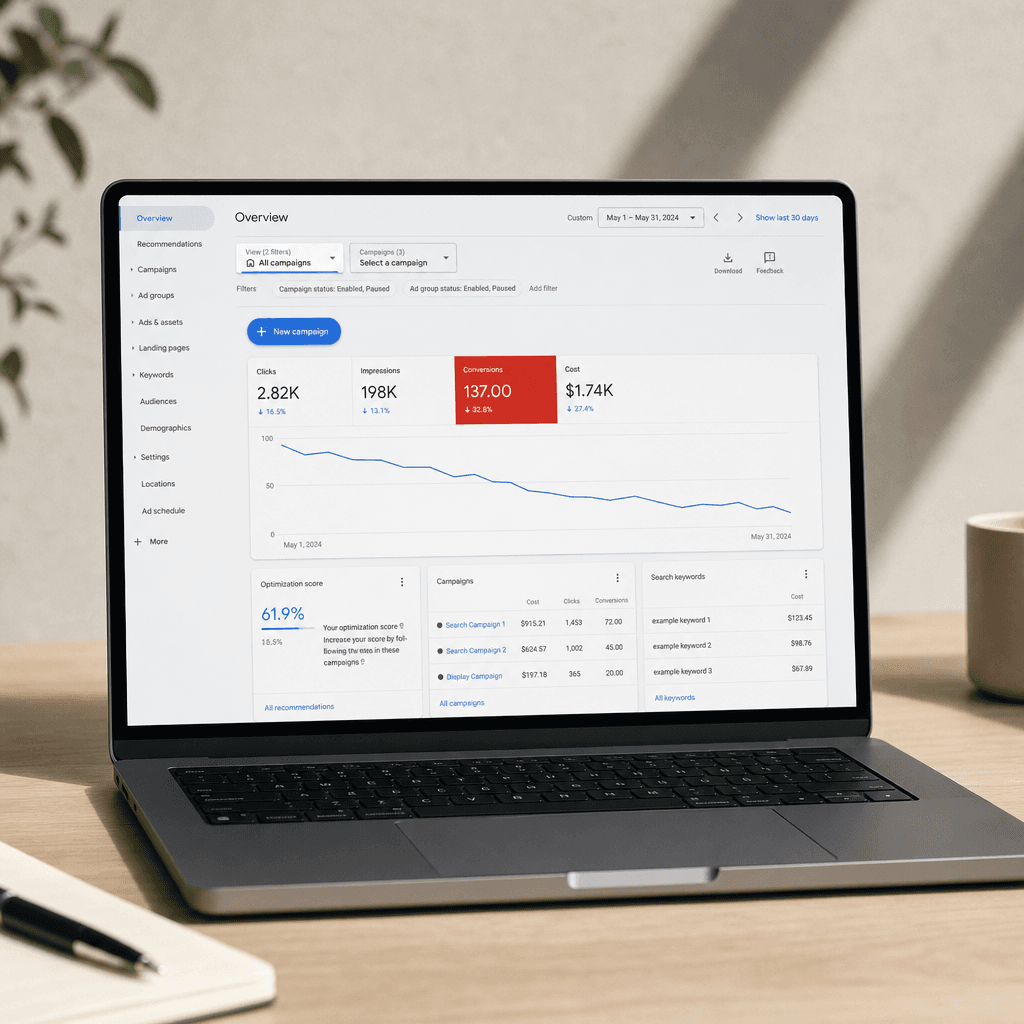
If you're running Google Ads and your sales feel flat even though your ad spend keeps climbing, there's a good chance the problem isn't your products, your pricing, or your website.
It's Performance Max. Google's default ad campaign type is probably wasting a chunk of your budget in ways that are very hard to spot.
This isn't a knock on Google. Performance Max is a powerful tool. But it's designed to give Google a lot of control over how your money gets spent, and without a few specific guardrails in place, it tends to develop some expensive habits.
Here are the four most common Performance Max problems, what's happening in each case, how to tell if it's affecting you, and what to do about it.
Problem 1: You're paying Google to reach people who were already going to buy from you
When someone types your brand name into Google (say, "Profeliz pool chemicals"), they already know you. They're probably ready to buy. That click should cost you almost nothing.
But Performance Max notices that people searching for your brand name buy at a very high rate, so it starts bidding aggressively on those searches. Instead of paying $0.20 for a click from someone who was already coming to your site, you end up paying $1.50 or more.
You're essentially paying a premium to intercept customers who were already headed to your door.
How to tell if this is happening: Go to your Performance Max campaign in Google Ads, click the "Insights" tab, and look at the "Search categories" section. If your own brand name is showing up in the top results, this problem is active in your account.
The fix: Add your brand name as a "negative keyword" on your Performance Max campaign. This tells Google to stop bidding on searches that include your brand name. Then run a separate, simple campaign specifically for brand searches with tightly controlled bids. Google made this possible for all advertisers in 2024, but most accounts still haven't turned it on.
Problem 2: Your Performance Max campaign is running ads where nobody's ready to buy
When most ecommerce founders picture their Google ads, they imagine their products showing up when someone searches "buy blue running shoes" or "best protein powder for women." That's Google Shopping: high intent, ready-to-buy customers.
But Performance Max doesn't just run on Google Shopping. It also runs on YouTube, Gmail, banner ads across websites, and more. When it can't find enough good Shopping opportunities at the price you've set, it quietly shifts your budget to these other channels instead.
Someone watching a YouTube video isn't in buying mode. A banner ad on a news site gets ignored. These placements are far less likely to lead to a sale, but Google's reporting can make them look like they're working. It counts things like "someone watched your YouTube ad and then bought something in the next 30 days" as a conversion, even if the ad had nothing to do with the purchase.
How to tell if this is happening: Compare what Google says your campaign is earning against your actual Shopify or Stripe revenue for the same time period. If Google's number is significantly higher than your actual sales, the gap is likely inflated by these low-quality placements claiming credit they didn't earn.
The fix: In your campaign settings, reduce the weight given to "view-through conversions." These are the ones where someone saw an ad but didn't click. Setting this to a very low value (or zero) forces Google to focus on placements that actually drive clicks and purchases.
Problem 3: If your budget is small, Performance Max is basically guessing
Performance Max needs data to work well. Specifically, it needs around 50 to 100 purchases per month to figure out who your best customers are and how to reach more of them.
For most small ecommerce stores, that means you need to be doing at least $4,000 to $8,000 in monthly revenue through the campaign before it really finds its footing. Below that, it doesn't just learn slowly. It actively flails. It'll spend two weeks chasing one type of customer, then completely switch strategies, then switch back. Every time it changes course, you pay for it.
How to tell if this is happening: Pull up your daily spend data for the last two months. If your spending is swinging wildly from day to day or week to week, and you haven't made any changes to your budget, the campaign is still figuring itself out.
The fix: If you're spending less than about $3,000 per month on Google Ads, Performance Max probably shouldn't be your main campaign. Run a simpler "Standard Shopping" campaign focused on your best-selling products with manual bid controls instead. Use Performance Max as a secondary campaign with a conservative budget and a high return target. This gives the algorithm less room to experiment on your dime.
Problem 4: Uploading more creative assets into Performance Max is actually hurting you
When you set up a Performance Max campaign, Google asks you to upload a lot of stuff: images, videos, headlines, descriptions. The interface makes it feel like more is better.
For Shopping ads, it isn't. The more images and videos you upload, the more Google interprets your campaign as one that should be running on visual channels like YouTube and display networks rather than on Google Shopping where buyers are actually searching.
If you're running a product-focused ecommerce store, Shopping placements almost always convert better than banner ads or YouTube pre-rolls. But by loading up your campaign with creative assets, you're inadvertently telling Google to send your budget elsewhere.
How to tell if this is happening: If your campaign has a lot of images and videos uploaded and your Google Shopping ads feel underpowered, this is likely the cause.
The fix: Run a "feed-only" Performance Max campaign. One that uses only your product feed (the data file with your product names, prices, and images) and no additional creative assets. Most stores that make this switch see their Shopping spend jump significantly within a couple of weeks. If you want to run YouTube or display ads, do it as a completely separate campaign.
The Performance Max setup that actually works in 2026
The ecommerce brands getting the most out of Google Ads right now aren't running one big Performance Max campaign and hoping for the best. They're running three separate, focused campaigns:
-
A brand campaign. Simple, manual bids, only for people searching your brand name.
-
A Shopping campaign. Focused on your top-selling, highest-margin products with controlled bids.
-
Performance Max. Feed-only, no extra creative assets, set to a higher return target, brand terms excluded.
This structure gives you three separate levers. When something stops working, you can figure out which one is the problem and fix it, instead of staring at a single black box and guessing.
A 15-minute weekly check to keep Performance Max campaigns healthy
The four problems above are not hard to spot once you know where to look. Here's a quick routine you can run every Monday:
-
Open your Performance Max campaign and check the Insights tab. Is your brand name in the top search categories? Fix problem 1.
-
Compare your Google-reported revenue to your Shopify or Stripe revenue for the same week. Is the gap bigger than 25%? Fix problem 2.
-
Look at your daily spend over the last 60 days. Is it swinging more than 50% week to week? Fix problem 3.
-
Look at your asset group. Do you have lots of images and videos uploaded? Consider stripping it back to feed-only. Fix problem 4.
This takes 15 minutes and it catches problems that can quietly cost thousands of dollars a month if left unchecked.
The hard part isn't fixing Performance Max. It's staying on top of it.
Google updates Performance Max roughly every month. Your product catalog changes. Your competitors adjust their bids. The problems above don't stay fixed on their own; they drift back over time.
The accounts that keep their Google Ads healthy over the long run aren't the ones that did a great setup once. They're the ones with someone actually watching the campaigns every week.
That doesn't have to be complicated. The 15-minute Monday checklist above covers the four things that matter most. Block the time, run the checks, and treat it like any other part of running your business.
Performance Max is worth using. It just isn't worth trusting on autopilot.